
Home automation systems: How they work and where to start
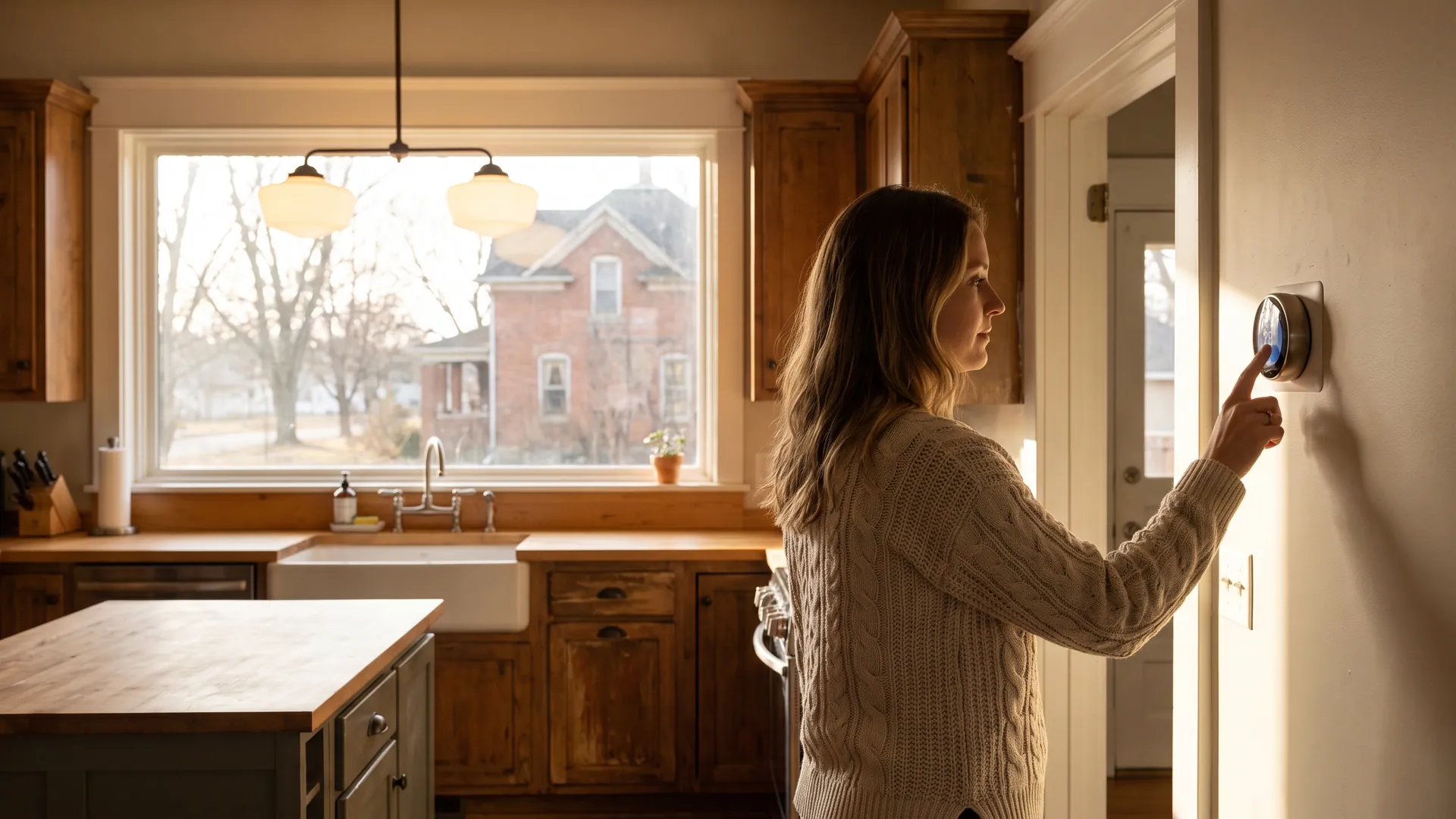
A home automation system links smart devices, lights, locks, cameras, thermostats, sensors, to a single hub or app so you can control them from anywhere and let them trigger themselves on a schedule, a sensor reading, or your phone’s location. Almost nobody wires the whole house at once. The common first build is 3 devices: a smart thermostat, lighting control in a room or two, and a video doorbell.
Start with the thermostat, because that’s where the math is clearest. Heating and cooling take almost half of the average American household’s annual energy bill, more than $900 a year, and a thermostat has to demonstrate measured runtime reductions in real field data before it can wear the ENERGY STAR label.
Learn how home automation systems work, including which connection standard to buy into, what a starter build looks like, and what to check before you spend. If you’re planning wider upgrades around it, our Home Improvement & Design guide covers the rest of the project list.
Key takeaways:
- One system, one control point: A home automation system is any group of connected devices, climate, lighting, entry, cameras, run from a single hub, app, or voice assistant instead of the 4 or 5 separate apps you’d otherwise juggle.
- Energy is the measurable payoff: Heating and cooling account for almost half of the average household’s energy bill, more than $900 a year, and an ENERGY STAR certified smart thermostat must show at least an 8% cut in annual heating runtime and 10% in cooling runtime to earn the label.
- Buy the standard, not the brand: Pick 3 starter devices that share one connection standard, Matter, Zigbee, Z-Wave, or Wi-Fi, then add rooms one at a time instead of replacing a mismatched system later.
What is a home automation system?
A home automation system is a set of connected devices that can be monitored, controlled, and triggered automatically from one place, a hub, a phone app, or a voice assistant, rather than operated one at a time. Two smart bulbs and an app is technically automation; so is a wired controller running climate, shades, audio, and security. They differ in scale and cost, not in concept.
What separates automation from remote control is the rule layer. Remote control means you press a button from the office. Automation means the house acts without you: the thermostat steps back when the last phone leaves the geofence, the porch light comes on at sunset, the basement shuts the water main when a leak sensor gets wet. Most of the value people report from smart home technology comes from those rules, not the app.
What are the parts of a home automation system?
Every setup, from a starter kit to a whole-house install, has the same four layers.
- Devices and sensors: The things that act or report, bulbs, switches, plugs, locks, thermostats, cameras, motion and leak sensors, and smart appliances.
- A network: The radio the devices talk on. Wi-Fi, Zigbee, Z-Wave, Thread, and Bluetooth all show up in typical homes, often several at once.
- A controller: The hub, bridge, or smart speaker that translates between devices and holds the rules. Some systems skip a hub and run through the cloud.
- The rules: Routines, scenes, and automations, the if-this-then-that logic that makes the whole thing worth owning.
Why invest in a home automation system?
Energy is the only benefit with a hard number attached, so lead with that one. Heating and cooling consume almost half of a typical household’s annual energy bill, and to carry the ENERGY STAR label a connected thermostat must demonstrate, in independently reviewed field data, at least an 8% reduction in annual heating runtime and at least a 10% reduction in cooling runtime.1 That’s a certification threshold measured across many homes, not a promise about yours, but it’s why the thermostat is the device most people should buy first.
The rest of the case is real but harder to price.
- Lower energy waste: Setbacks that happen automatically beat setbacks you have to remember. Occupancy sensors, scheduled dimming, and plugs that cut standby draw all chip away at the same bill, our guide to smart home devices for energy savings ranks which ones move the needle.
- Fewer expensive surprises: Water leak sensors, smart smoke and carbon monoxide detectors, and freeze alarms cost little relative to what they prevent. A sensor that catches a water heater failure on hour one instead of day three is the highest-return device in most homes.
- Comfort you don’t have to manage: Wake-up routines, sunset lighting, and vacation modes take small daily decisions off your plate. This is where smart lighting solutions earn their keep.
- Accessibility and aging in place: Voice control of lights, locks, and thermostats, plus remote check-ins on a parent’s home, are practical for people with limited mobility.
- Visibility into usage: Energy dashboards turn a monthly utility bill into something you can act on, which usually leads to the next efficiency project.
What automation is not is a substitute for the building itself. If your attic is underinsulated or your furnace is 25 years old, a smart thermostat manages an inefficient system more precisely rather than fixing it. Fix the envelope and equipment first, then automate.
Wi-Fi vs. Zigbee vs. Z-Wave vs. Matter: which standard should you choose?
Choose the standard before you choose the brand, because the standard determines what you can add in year three. Most homes end up running 2 or 3 of these at once, which is fine as long as one of your hubs, bridges, or voice assistants speaks to all of them.
| Standard | Power use | Range and behavior | Hub required? | Commonly used for |
|---|---|---|---|---|
| Wi-Fi | Highest; usually needs mains power | Whatever your router covers; high device counts crowd the network | No, connects to your router | Cameras, doorbells, speakers, plugs, thermostats |
| Zigbee | Low; batteries last months to years | Short-range mesh; every mains-powered device extends it | Yes, a Zigbee hub or bridge | Bulbs, motion and contact sensors, switches |
| Z-Wave | Low; similar battery life to Zigbee | Mesh on a less crowded band, so less interference | Yes, a Z-Wave hub | Locks, sensors, switches, garage controllers |
| Matter | Depends on the radio underneath | Rides on Wi-Fi, Ethernet, or Thread instead of replacing them | Yes, a Matter controller, plus a Thread border router for Thread | Cross-brand use across Apple, Google, Amazon, and Samsung |
Matter is the one worth understanding, because it’s an interoperability layer rather than a competing radio. A Matter-certified device is built to work across the major voice ecosystems instead of locking you into one, the problem that stranded a lot of early smart home buyers. It doesn’t retire Zigbee or Z-Wave, since plenty of hubs bridge those in. Read where smart home standards are headed before committing to a closed ecosystem.
Two practical rules. Make sure your hub lists the specific model you’re buying as supported, not just the brand. And before you commit to a platform, read hands-on reviews of major smart home platforms, app quality and reliability vary far more than spec sheets suggest.
Start here: a three-device starter build
Buy 3 devices, in this order: a smart thermostat, lighting control for one or two rooms, and a video doorbell. At retail, that combination commonly lands in the low hundreds of dollars, though prices move constantly, price the exact models before you commit. Our roundup of the devices that cut the most energy waste makes a good second shopping list.
1. A smart thermostat
The thermostat is first because it controls the largest line on your energy bill and requires no rewiring of anything else. Start from the ENERGY STAR certified connected thermostats list, since certification rests on measured field performance rather than marketing claims.
One detail trips up more first-timers than any other: many smart thermostats need a common wire, or C-wire, for continuous power, and older homes often don’t have one. Some models ship with a power extender kit that works around it; otherwise you’re calling an HVAC tech. Pull your thermostat off the wall and count the wires before you order. Our guide to how smart thermostats benefit homeowners covers the scheduling and geofencing settings that produce the savings.
2. Smart lighting in one or two rooms
Lighting is the system you touch most, so it’s where automation feels like an upgrade fastest. Two paths: smart bulbs, cheap per unit and renter-friendly but useless when someone flips the wall switch off, or smart switches and dimmers, which cost more and need basic wiring work but control every fixture on the circuit and behave normally for guests.
For a room with 4 or more bulbs, switches usually win; for a single lamp or a rental, bulbs do. Our breakdown of the bulbs-versus-switches decision covers the wiring each one needs. Start with the rooms you use at night.
3. A video doorbell or entry sensor
A doorbell camera is the device most households use daily. Decide up front whether you want cloud recording, which usually carries a monthly subscription, or local storage on a card or base station, which doesn’t. That choice shapes your long-term cost more than the hardware price does.
Entry sensors, a smart lock, and a camera or two are the usual next additions. Read up on smart home security systems before you buy piecemeal. Monitoring plans, sensor compatibility, and professional-versus-self monitoring are hard to reverse cheaply.
What to check before you buy
Five checks prevent almost every expensive mistake here. Run them before the first order, not the third.
- Compatibility, in writing: Confirm your hub lists your exact device model as supported. “Works with” badges on packaging are marketing; the manufacturer’s compatibility list is what matters.
- What happens when the internet drops: Cloud-only devices go dumb during an outage; a local hub keeps core routines running. If you’re automating locks, garage doors, or heat, insist on local fallback.
- Subscriptions and end-of-life risk: Add up recurring fees for video storage, monitoring, and premium features over 3 years, then compare that to the hardware price. Check whether the maker has a history of bricking older products, and which platforms are gaining long-term support.
- Account security hygiene: Use a unique password on every smart home account, turn on two-factor authentication, keep firmware updated, and put cameras and sensors on a guest network where your router supports it.
- Budget and sequencing: Automation is modular, so phase it. Where a project outgrows what you’d sensibly put on a card, new HVAC, whole-house wiring, windows, lenders in Align’s network offer renovation and cash-out refinance options that fold the cost into your mortgage instead.2
Worth saying plainly: Align Lending doesn’t sell smart home equipment and has no stake in which platform you pick. Where automation meets our work is financing the larger efficiency projects it sits on top of, covered in our Homeownership guide.
How Align finances a renovation
You are not just financing the house. You are financing a plan for it. Align places HomeStyle and FHA 203(k) renovation loans, standalone HELOCs and home equity loans, so the project can be paid for the way that fits it, not the way one bank prefers.
Samantha starts with why: what the work is, what it should cost, and whether your equity or a renovation loan is the better tool. Then one application goes to multiple wholesale lenders.
FAQ: Home automation systems
Here are answers to common questions about home automation systems.
Do I need a smart home hub?
Not always. Many Wi-Fi devices connect directly to your router and run through their own app, which is fine for a handful of products. A hub becomes worthwhile once you own devices from different brands or use lower-power standards like Zigbee and Z-Wave, because the hub translates between them and lets you build routines that span brands. Hubs also keep some automations running when the internet drops. Our overview of smart home technology for homeowners compares the main hub options.
How much does it cost to automate a whole house?
Costs scale with how many devices and how much wiring are involved. A do-it-yourself setup covering lighting, a thermostat, locks, and a doorbell often stays in the hundreds of dollars. Professionally installed, hardwired systems that integrate audio, shades, security, and climate across an entire home run into the thousands. Because the systems are modular, most homeowners phase the spending over several years alongside their other home improvement and design projects.
Does home automation lower your insurance?
It can. Many insurers discount premiums for monitored security systems, smart smoke and carbon monoxide detectors, and water leak sensors, because those devices reduce the size of claims. Discounts vary widely by carrier and are usually a percentage off the premium rather than a flat amount. The Insurance Information Institute explains how insurers treat smart home safety devices. Ask which devices qualify before buying, and see our guide to smart home security systems for the monitoring tiers carriers tend to recognize.
Do smart home devices add value when you sell?
Built-in systems such as smart thermostats, hardwired lighting controls, and integrated security tend to convey with the house and read as move-in-ready features to buyers. Portable devices like plug-in bulbs and speakers are usually treated as personal property and go with you. Appraisers rarely assign a separate line-item value to automation, but a well-integrated system helps a listing show well, and the efficiency story behind a smart thermostat is easier to document than most upgrades.
The bottom line on home automation systems
A home automation system connects lights, locks, cameras, and thermostats to one hub or app so they can be controlled remotely and triggered automatically. Start with 3 devices, not a whole-house plan: a smart thermostat, lighting control in a room or two, and a video doorbell. The thermostat goes first because heating and cooling take almost half of the average household’s annual energy bill, more than $900 a year, and ENERGY STAR certification requires a measured cut of at least 8% in heating runtime and 10% in cooling runtime. Pick one connection standard, confirm your hub supports the exact models you want, and expand one room at a time.
If you’re ready to take on the bigger efficiency work these systems sit on top of, HVAC, windows, insulation, or a full renovation, talk to Align Lending. We’ll shop your scenario across our lender network and show you the options side by side. Call 248-506-5727 or start online today.
Footnotes:
1. The 8% heating and 10% cooling figures are ENERGY STAR’s certification thresholds for smart thermostats, expressed as annual runtime reduction at the lower 95% confidence limit and measured from field data across participating households. Runtime reduction is not a guaranteed reduction in your bill: results depend on your climate, insulation, equipment age and efficiency, utility rates, and how your thermostat was set before. Return to text.
2. Align Lending is an independent mortgage broker and does not set loan terms. Renovation and cash-out refinance program terms, eligibility, and available loan amounts are set by the individual wholesale lenders in Align’s network and are subject to change, credit approval, property eligibility, and equity requirements. Nothing here is an offer of credit or a commitment to lend. Return to text.
Sources: share of the average American household’s annual energy bill spent on heating and cooling, and the more than $900 a year figure, U.S. Environmental Protection Agency, ENERGY STAR (“Smart Thermostats”). Certification thresholds of at least 8% annual heating and 10% annual cooling runtime reduction at the lower 95% confidence limit, ENERGY STAR Smart Thermostat Key Product Criteria (effective January 1, 2017). Insurance discount practices for smart home safety devices, Insurance Information Institute.
This article is for informational purposes only and is not intended to provide legal, financial, tax, or engineering advice. Device pricing, compatibility, subscription terms, and utility or insurance incentives change frequently and vary by manufacturer, carrier, and location, verify current details before you buy. Electrical and HVAC work should be performed by a licensed contractor under local code and permitting requirements. Align Lending is an independent Michigan mortgage broker, NMLS #2041154.
Related resources

12-minute read
Energy-efficient home upgrades: What to do first, and what it saves
See which energy-efficient home upgrades pay off first, from air sealing and insulation to heat pumps and solar, with real costs and yearly savings.

12-minute read
DIY home renovation projects: 12 upgrades you can actually finish
Discover DIY home renovation projects that upgrade your space on a budget, from peel-and-stick backsplashes to floating shelves and smart lighting.
12-minute read
The benefits of a home energy audit and what it includes
Learn what a home energy audit finds, how blower door and infrared testing works, and why the Department of Energy links audits to 5% to 30% energy savings.
3-minute read
The Hidden Costs of Luxury Living: A Savvy Homeowner’s Guide to HOA Fees in 2025
Picture this: You’ve just discovered your dream home in an exclusive community, complete with manicured landscapes, a resort-style pool, and
