
Creating a home office space that actually works
A functional home office comes down to four decisions: location, ergonomics, lighting and storage. Ergonomics is the one with measurable consequences, the standard setup puts the desk surface around 28 to 30 inches high, your elbows at roughly 90 degrees and level with the keyboard, both feet flat on the floor, and the top of the monitor at or just below eye level, 20 to 40 inches from your eyes.
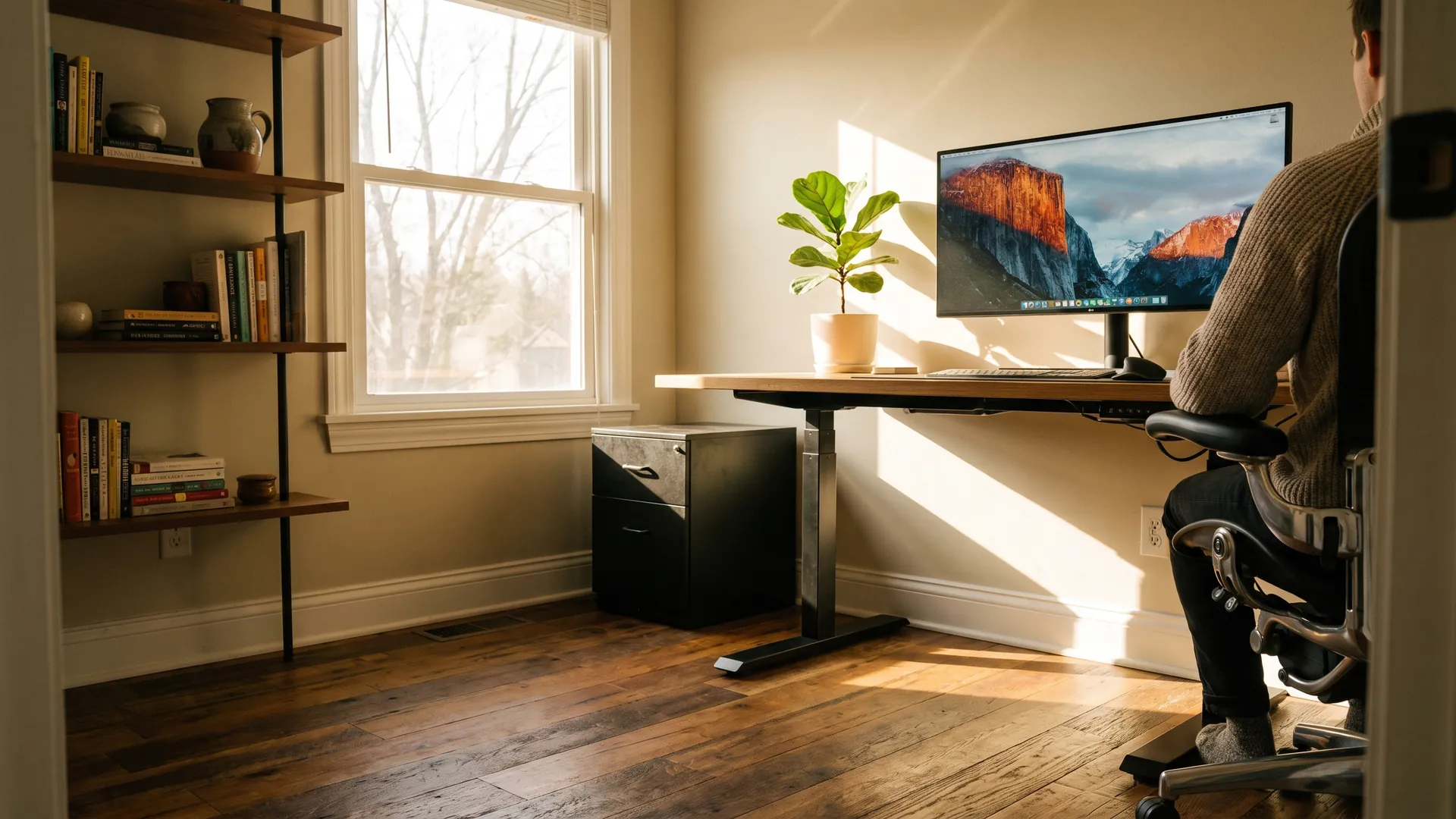
Set the desk perpendicular to a window rather than facing it, so you get daylight without screen glare or a backlit camera. Everything after that, decor, cable management, the plant, is refinement.
Learn how to create a home office space that works, including where to put it, which furniture earns its cost, how to light it, and how to build one in a closet or a shared room. For the wider set of projects, start with our Home Improvement & Design guide.
Key takeaways:
- Ergonomics is the decision with consequences: Three adjustments that cost nothing, monitor top at or just below eye level, elbows at roughly 90 degrees and level with the keyboard, feet flat on the floor, prevent most home-office neck, wrist and lower-back complaints.
- Window position matters more than window size: A desk set perpendicular to a window captures daylight without the glare of facing one or the backlighting of sitting in front of one, and keeps the screen in the eye-friendly 20 to 40 inch viewing range.
- Dedicated space beats a dedicated room: A defined 50 to 100 square foot zone with a boundary you can close gets used far more reliably than a spare bedroom on the other side of the house.
Where should you put a home office?
Put the office in the quietest, lowest-traffic space you’ll actually commit to, and plan on roughly 50 to 100 square feet for one person, enough for a desk, a chair, clearance to stand, and storage within reach. Noise, daylight and boundaries are what decide whether you use the room or abandon it by March.
Start with noise and traffic, not square footage
Walk the house at the hour you actually work and listen. The bonus room over the garage is silent at 9 a.m. and useless at 3 p.m. A basement corner may be the calmest space you own and the coldest one in February.
If the quietest room shares a wall with a living area or the laundry, treat the noise as fixable rather than disqualifying. Solid-core doors, sealed frames and insulated shared walls all help, and upgrading your home’s insulation often fixes the temperature problem and part of the noise problem at once.
Set the desk perpendicular to the window
Facing a window puts a bright field directly behind your screen and forces your eyes to keep re-adjusting. Backing one throws glare onto the display and turns you into a silhouette on video calls. Daylight arriving from the side avoids both, which is why standard computer workstation guidance is to place the monitor perpendicular to a window.
Interior rooms aren’t disqualified. A tubular daylight device or small fixed skylight brings daylight into a room with no exterior wall. Where the office window leaks cold or glare, choosing energy-efficient windows helps with both.
Give a shared room a boundary
Most home offices are corners of rooms that already do something else, a guest room, a dining room, a hallway end. The boundary is what makes it work: a bookcase turned perpendicular to the wall, a folding screen, a rug, a curtain on a track. One you can close is worth more than another 40 square feet of open floor.
What furniture do you actually need?
Three pieces carry the entire setup: an adjustable chair, a desk near 28 to 30 inches with clear space underneath, and something that lifts the monitor to eye level. A stack of hardcovers does that third job for free.
Home office measurements at a glance
Set these before you buy anything, and adjust the chair first.
| Element | Target | Why it matters |
|---|---|---|
| Desk surface height | About 28 to 30 inches on a standard fixed-height desk | Suits most adults once the chair is set correctly. |
| Leg clearance under the desk | Generally 20 to 28 inches of open height | Drawers and crossbars here are what ruin a desk. |
| Chair seat height | Whole sole on the floor, back of the knee slightly higher than the seat | The reference point everything else is built around. |
| Backrest recline | Adjustable to at least 15 degrees back from vertical | Lets you shift posture through the day. |
| Monitor distance | 20 to 40 inches from your eyes to the front of the screen | Closer than 20 inches is a common cause of eye fatigue. |
| Monitor top height | At or just below eye level; screen center roughly 15 to 20 degrees below horizontal | A screen mounted too high is the classic neck problem. |
| Keyboard and elbow angle | Elbows roughly 90 degrees at keyboard height, wrists straight and in line with forearms | Neutral wrists are what protect them, not the gel pad. |
The chair is the purchase worth overspending on
You’ll sit in it for thousands of hours, and it’s the only piece that adjusts to you rather than the reverse. Look for four things: seat-height adjustment, lumbar support that meets the curve of your lower back, a backrest that reclines at least 15 degrees from vertical, and armrests that let your elbows hang at your sides.
Set seat height first. If your feet don’t reach the floor once the seat is right for the desk, add a footrest rather than dropping the chair. Lowering it is what pushes the keyboard above elbow height. On hard floors, budget for a chair mat or hard casters; carpet wants soft ones.
Desk, monitor and keyboard
Desk height matters less than what’s underneath it. Aim for 20 to 28 inches of unobstructed leg clearance; a shallow center drawer quietly ruins a good desk. Depth matters too: the monitor needs to sit 20 inches back at minimum, so a 24-inch-deep surface is a practical floor.
Sit-stand desks earn their price only if you use the stand position, and most people use it in short stretches. A cheaper version: a laptop riser and standing for calls. Raise the monitor until the top edge lands at or just below eye level, keep the keyboard and mouse at elbow height, and put a second screen at the same height and distance as the first.
How should you light a home office?
Light a home office in three layers: daylight from the side, soft ambient light overhead, and one task lamp beside the screen rather than behind it. A single ceiling fixture is the default in most rooms and the worst option in an office, because it drops light onto a glossy screen from the wrong angle.
- Daylight, controlled: Keep the desk perpendicular to the window and add a light-filtering shade to cut afternoon sun without going dark.
- Ambient layer: Swap a harsh overhead for a dimmable fixture, or bounce floor lamps off the ceiling to lower the contrast between screen and wall.
- Task lamp: One adjustable lamp beside the monitor, aimed at paperwork, not the screen. If you’re on camera often, a soft source in front of you at eye level beats a webcam upgrade.
- Color temperature: Bulbs near 2700K read warm and yellow; 4000K and above read neutral to cool. Match bulbs within a room so the light doesn’t fight itself.
LED is the practical default, and it runs cool enough that a lamp near your head stops mattering. ENERGY STAR guidance on efficient lighting and electronics is a reasonable place to compare bulbs and equipment. For a whole-room plan, work through how to upgrade your home’s lighting.
How do you build a home office in a small space?
You need a work surface, a chair, power and light, and all four fit in a reach-in closet roughly 5 feet wide. Small-space offices fail on ventilation, outlets and boundaries, not square footage, so solve those three first.
- Closet office: Remove the door or swap it for a bifold, mount a 20 to 24 inch deep shelf at desk height, and stack storage above. Leave the air path open; an enclosed closet with a computer in it gets warm fast.
- Alcove or landing: A dead-end hallway, stair landing or dormer nook takes a narrow desk and a wall-mounted monitor arm, which buys back the depth a shallow surface costs you.
- Shared room: Use a bookcase, screen or curtain as the divider, and pick furniture that closes, a secretary desk turns the room back into a guest room in 30 seconds.
- Power and data: Count outlets before you commit. A desk, monitor, lamp and charger fill a duplex outlet immediately, and adding a circuit is electrical work with permit implications.
Check local rules before you cut into anything. Adding circuits, moving a wall or converting unconditioned space usually requires inspection, our guide to home renovation permits covers what triggers one. If the space isn’t heated and cooled today, the first cost is conditioning it.
What does a home office cost to build?
There are three honest tiers, and only the third is a construction project. The first two cost whatever you choose to spend; the third depends on your local labor market, so get two or three written quotes. Aggregators publish cost data for converting a room into an office, but treat those ranges as a starting point, not a bid.
- Tier 1, the functional setup: An adjustable chair, a monitor riser or arm, one task lamp, a surge protector and a boundary. No trades involved, and it fixes the ergonomics, the part with consequences.
- Tier 2, the mid-range upgrade: A sit-stand desk, a dimmable fixture, real storage, sound treatment on a shared wall, and a mesh node or a run of Ethernet. Much of it is DIY-friendly, our guide to DIY home renovation projects covers which jobs stay in that column.
- Tier 3, the room conversion: Framing, insulation, drywall, electrical, flooring and HVAC to turn unfinished space into a real room. Converting a garage into living space is the most common version; a bump-out means weighing the pros and cons of adding a home addition instead.
Two costs get forgotten. The first is ongoing: monitors, a desktop and a space heater land on the utility bill, and swapping the room’s lighting and equipment for efficient versions is one of the cheaper energy-efficient home upgrades available. The second is the tax question. If you’re self-employed and the space is used regularly and exclusively for business, the IRS simplified option allows $5 per square foot on up to 300 square feet, a maximum of $1,500, or you can deduct actual expenses instead. Employees working remotely for an employer generally cannot claim the federal home office deduction under current rules.1
Does a home office add value when you sell?
A dedicated, well-lit office with solid connectivity is a genuine selling point in markets with heavy remote work, and it helps an older home compete against new construction designed with one. It is not a guaranteed dollar-for-dollar return, and how much it matters depends on who’s buying nearby.
The caution is bedroom count. Converting a bedroom into a permanent, built-in office can work against you at resale, because bed count drives how a home is priced and filtered in search results, buyers who need four bedrooms never see a three-bedroom listing. The safe version is a flexible room: keep the closet, keep the door, use furniture rather than built-ins.
Builder research on home office demand tracks how buyer priorities shift, and the demand is a housing-market story as much as a design one. For where a workspace ranks against competing projects, check current home renovation trends first.
How Align finances a renovation
You are not just financing the house. You are financing a plan for it. Align places HomeStyle and FHA 203(k) renovation loans, standalone HELOCs and home equity loans, so the project can be paid for the way that fits it, not the way one bank prefers.
Samantha starts with why: what the work is, what it should cost, and whether your equity or a renovation loan is the better tool. Then one application goes to multiple wholesale lenders.
FAQ: Creating a home office space
Here are answers to common questions about creating a home office space.
What is the ideal home office setup?
Start with an adjustable chair that supports your lower back, a desk near 28 to 30 inches high, and a monitor an arm’s length away with the top of the screen at eye level. Add task lighting positioned to the side rather than behind your screen, storage within arm’s reach for daily items, and a door or divider if the space shares a room. Cable management comes last but keeps the setup usable, and smart plugs from a basic home automation system make it easy to shut the whole desk down at day’s end.
Can you claim a home office tax deduction?
Self-employed filers can generally deduct a home office used regularly and exclusively for business, using either the simplified square-footage method or actual expenses. Employees working remotely for an employer typically cannot claim the federal deduction under current rules. Because the exclusivity test is strict and state rules differ, confirm your situation with a tax professional before claiming anything, our Homeownership guide covers the other ongoing costs of owning.
How much space do you need for a home office?
A workable single-person office fits in roughly 50 to 100 square feet, enough for a desk, chair, clearance to move and some storage. Compact setups in a closet or alcove can work in less if lighting and ventilation are adequate. What matters more than square footage is separation, since a defined boundary between work and home is what makes the space usable day after day, the same small-room logic behind designing a functional laundry room.
Does adding a home office increase home value?
A dedicated, well-lit office with good connectivity is a real selling point in markets with heavy remote work, and it helps a home compete with newer listings. Converting a bedroom into an office can backfire, though, because bedroom count strongly influences how a home is priced and marketed. The safest approach is a flexible room that can be shown as either.
The bottom line on creating a home office space
Creating a home office space is four decisions, and only one has measurable consequences. Get the ergonomics right first: a desk surface around 28 to 30 inches with 20 to 28 inches of clearance underneath, elbows at roughly 90 degrees, feet flat on the floor, and the top of the monitor at or just below eye level, 20 to 40 inches from your eyes. Set the desk perpendicular to a window for daylight without glare, plan on 50 to 100 square feet for one person, and give the space a boundary you can close.
If a home office is on your must-have list for the next house, it’s a budget question as much as a search criterion. Talk to Align Lending. We’ll shop your scenario across our lender network and show you the numbers side by side, so you know what the extra room costs before you offer. Call 248-506-5727 or start online.
Footnotes:
1. This article is for informational purposes only and is not intended to provide legal, financial, or tax advice. Home office deduction eligibility depends on your filing status and business use of the space, including the regular-and-exclusive-use test, and rules are subject to change. Consult a qualified tax professional about your situation before claiming a deduction. Return to text.
Sources: monitor viewing distance of 20 to 40 inches, monitor top at or slightly below eye level with screen center 15 to 20 degrees below horizontal, monitor placement perpendicular to a window, leg clearance of 20 to 28 inches, chair height set so the sole of the foot rests on the floor with the back of the knee slightly higher than the seat, backrest recline of at least 15 degrees from vertical, and elbows at about keyboard height with straight wrists, U.S. Department of Labor, OSHA Computer Workstations eTool. Regular-and-exclusive-use test and employee ineligibility, IRS Publication 587. Simplified option of $5 per square foot on a maximum of 300 square feet, IRS Simplified Option for Home Office Deduction. Desk heights of 28 to 30 inches reflect common furniture build heights, not a regulatory standard. Project costs vary by market; obtain written local quotes.
This article is for informational purposes only and is not intended to provide legal, financial, or tax advice. Consult a qualified professional about your situation. Renovation, electrical, and permit requirements vary by municipality, confirm requirements with your local building department before starting work. Figures shown are illustrative, are not a rate quote or an offer of credit, and are subject to change. Align Lending is an independent Michigan mortgage broker, NMLS #2041154.
Related resources

12-minute read
Energy-efficient home upgrades: What to do first, and what it saves
See which energy-efficient home upgrades pay off first, from air sealing and insulation to heat pumps and solar, with real costs and yearly savings.

12-minute read
DIY home renovation projects: 12 upgrades you can actually finish
Discover DIY home renovation projects that upgrade your space on a budget, from peel-and-stick backsplashes to floating shelves and smart lighting.
12-minute read
The benefits of a home energy audit and what it includes
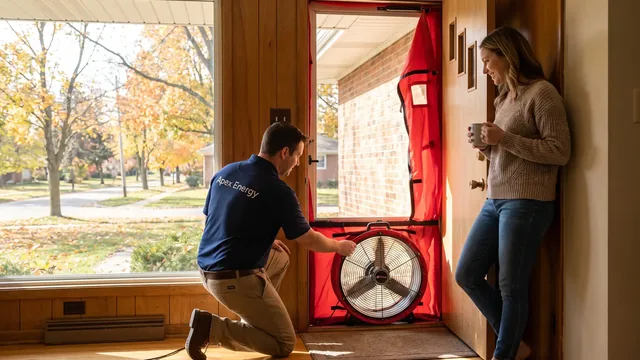
Learn what a home energy audit finds, how blower door and infrared tests work, and why the Department of Energy ties audits to 5% to 30% savings.