Home automation systems: How they work and where to start
A home automation system links smart devices, lights, locks, cameras, thermostats, sensors, to a single hub or app so you can control them from anywhere and let them trigger themselves on a schedule, a sensor reading, or your phone’s location. Almost nobody wires the whole house at once. The common first build is 3 devices: a smart thermostat, lighting control in a room or two, and a video doorbell.
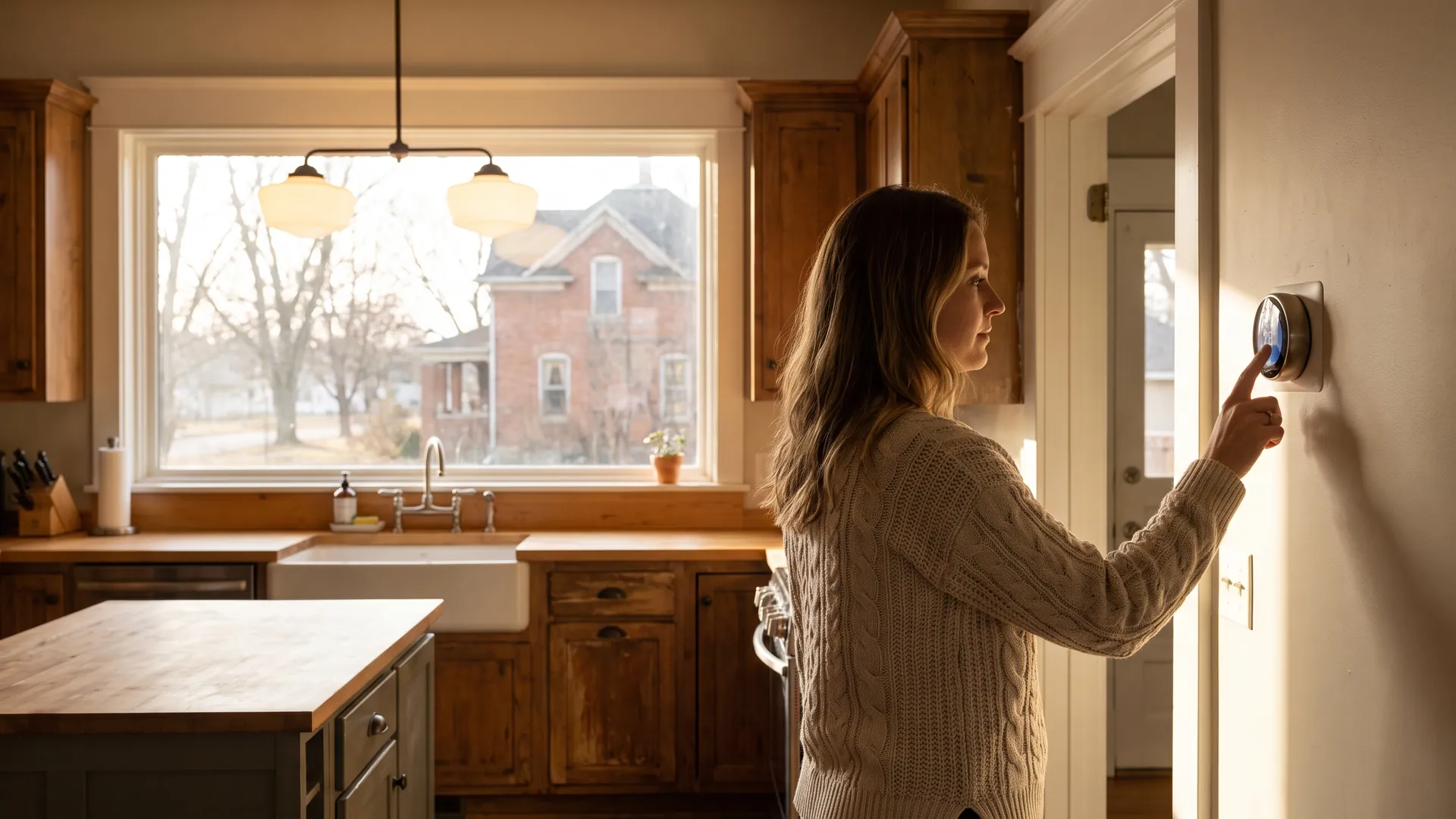
Start with the thermostat, because that’s where the math is clearest. Heating and cooling take almost half of the average American household’s annual energy bill, more than $900 a year, and a thermostat has to demonstrate measured runtime reductions in real field data before it can wear the ENERGY STAR label.
Learn how home automation systems work, including which connection standard to buy into, what a starter build looks like, and what to check before you spend. If you’re planning wider upgrades around it, our Home Improvement & Design guide covers the rest of the project list.
Key takeaways:
- One system, one control point: A home automation system is any group of connected devices, climate, lighting, entry, cameras, run from a single hub, app, or voice assistant instead of the 4 or 5 separate apps you’d otherwise juggle.
- Energy is the measurable payoff: Heating and cooling account for almost half of the average household’s energy bill, more than $900 a year, and an ENERGY STAR certified smart thermostat must show at least an 8% cut in annual heating runtime and 10% in cooling runtime to earn the label.
- Buy the standard, not the brand: Pick 3 starter devices that share one connection standard, Matter, Zigbee, Z-Wave, or Wi-Fi, then add rooms one at a time instead of replacing a mismatched system later.
What is a home automation system?
A home automation system is a set of connected devices that can be monitored, controlled, and triggered automatically from one place, a hub, a phone app, or a voice assistant, rather than operated one at a time. Two smart bulbs and an app is technically automation; so is a wired controller running climate, shades, audio, and security. They differ in scale and cost, not in concept.
What separates automation from remote control is the rule layer. Remote control means you press a button from the office. Automation means the house acts without you: the thermostat steps back when the last phone leaves the geofence, the porch light comes on at sunset, the basement shuts the water main when a leak sensor gets wet. Most of the value people report from smart home technology comes from those rules, not the app.
What are the parts of a home automation system?
Every setup, from a starter kit to a whole-house install, has the same four layers.
- Devices and sensors: The things that act or report, bulbs, switches, plugs, locks, thermostats, cameras, motion and leak sensors, and smart appliances.
- A network: The radio the devices talk on. Wi-Fi, Zigbee, Z-Wave, Thread, and Bluetooth all show up in typical homes, often several at once.
- A controller: The hub, bridge, or smart speaker that translates between devices and holds the rules. Some systems skip a hub and run through the cloud.
- The rules: Routines, scenes, and automations, the if-this-then-that logic that makes the whole thing worth owning.
Why invest in a home automation system?
Energy is the only benefit with a hard number attached, so lead with that one. Heating and cooling consume almost half of a typical household’s annual energy bill, and to carry the ENERGY STAR label a connected thermostat must demonstrate, in independently reviewed field data, at least an 8% reduction in annual heating runtime and at least a 10% reduction in cooling runtime.1 That’s a certification threshold measured across many homes, not a promise about yours, but it’s why the thermostat is the device most people should buy first.
The rest of the case is real but harder to price.
- Lower energy waste: Setbacks that happen automatically beat setbacks you have to remember. Occupancy sensors, scheduled dimming, and plugs that cut standby draw all chip away at the same bill.
- Fewer expensive surprises: Water leak sensors, smart smoke and carbon monoxide detectors, and freeze alarms cost little relative to what they prevent. A sensor that catches a water heater failure on hour one instead of day three is the highest-return device in most homes.
- Comfort you don’t have to manage: Wake-up routines, sunset lighting, and vacation modes take small daily decisions off your plate. This is where smart lighting solutions earn their keep.
- Accessibility and aging in place: Voice control of lights, locks, and thermostats, plus remote check-ins on a parent’s home, are practical for people with limited mobility.
- Visibility into usage: Energy dashboards turn a monthly utility bill into something you can act on, which usually leads to the next efficiency project.
What automation is not is a substitute for the building itself. If your attic is underinsulated or your furnace is 25 years old, a smart thermostat manages an inefficient system more precisely rather than fixing it. Fix the envelope and equipment first, then automate.
Wi-Fi vs. Zigbee vs. Z-Wave vs. Matter: which standard should you choose?
Choose the standard before you choose the brand, because the standard determines what you can add in year three. Most homes end up running 2 or 3 of these at once, which is fine as long as one of your hubs, bridges, or voice assistants speaks to all of them.
| Standard | Power use | Range and behavior | Hub required? | Commonly used for |
|---|---|---|---|---|
| Wi-Fi | Highest; usually needs mains power | Whatever your router covers; high device counts crowd the network | No, connects to your router | Cameras, doorbells, speakers, plugs, thermostats |
| Zigbee | Low; batteries last months to years | Short-range mesh; every mains-powered device extends it | Yes, a Zigbee hub or bridge | Bulbs, motion and contact sensors, switches |
| Z-Wave | Low; similar battery life to Zigbee | Mesh on a less crowded band, so less interference | Yes, a Z-Wave hub | Locks, sensors, switches, garage controllers |
| Matter | Depends on the radio underneath | Rides on Wi-Fi, Ethernet, or Thread instead of replacing them | Yes, a Matter controller, plus a Thread border router for Thread | Cross-brand use across Apple, Google, Amazon, and Samsung |
Matter is the one worth understanding, because it’s an interoperability layer rather than a competing radio. A Matter-certified device is built to work across the major voice ecosystems instead of locking you into one, the problem that stranded a lot of early smart home buyers. It doesn’t retire Zigbee or Z-Wave, since plenty of hubs bridge those in.
Two practical rules. Make sure your hub lists the specific model you’re buying as supported, not just the brand. And before you commit to a platform, read hands-on reviews of major smart home platforms, app quality and reliability vary far more than spec sheets suggest.
Start here: a three-device starter build
Buy 3 devices, in this order: a smart thermostat, lighting control for one or two rooms, and a video doorbell. At retail, that combination commonly lands in the low hundreds of dollars, though prices move constantly, price the exact models before you commit.
1. A smart thermostat
The thermostat is first because it controls the largest line on your energy bill and requires no rewiring of anything else. Start from the ENERGY STAR certified connected thermostats list, since certification rests on measured field performance rather than marketing claims.
One detail trips up more first-timers than any other: many smart thermostats need a common wire, or C-wire, for continuous power, and older homes often don’t have one. Some models ship with a power extender kit that works around it; otherwise you’re calling an HVAC tech. Pull your thermostat off the wall and count the wires before you order.
2. Smart lighting in one or two rooms
Lighting is the system you touch most, so it’s where automation feels like an upgrade fastest. Two paths: smart bulbs, cheap per unit and renter-friendly but useless when someone flips the wall switch off, or smart switches and dimmers, which cost more and need basic wiring work but control every fixture on the circuit and behave normally for guests.
For a room with 4 or more bulbs, switches usually win; for a single lamp or a rental, bulbs do. Start with the rooms you use at night.
3. A video doorbell or entry sensor
A doorbell camera is the device most households use daily. Decide up front whether you want cloud recording, which usually carries a monthly subscription, or local storage on a card or base station, which doesn’t. That choice shapes your long-term cost more than the hardware price does.
Entry sensors, a smart lock, and a camera or two are the usual next additions. Monitoring plans, sensor compatibility, and professional-versus-self monitoring are hard to reverse cheaply.
What to check before you buy
Five checks prevent almost every expensive mistake here. Run them before the first order, not the third.
- Compatibility, in writing: Confirm your hub lists your exact device model as supported. “Works with” badges on packaging are marketing; the manufacturer’s compatibility list is what matters.
- What happens when the internet drops: Cloud-only devices go dumb during an outage; a local hub keeps core routines running. If you’re automating locks, garage doors, or heat, insist on local fallback.
- Subscriptions and end-of-life risk: Add up recurring fees for video storage, monitoring, and premium features over 3 years, then compare that to the hardware price. Check whether the maker has a history of bricking older products, and which platforms are gaining long-term support.
- Account security hygiene: Use a unique password on every smart home account, turn on two-factor authentication, keep firmware updated, and put cameras and sensors on a guest network where your router supports it.
- Budget and sequencing: Automation is modular, so phase it. Where a project outgrows what you’d sensibly put on a card, new HVAC, whole-house wiring, windows, lenders in Align’s network offer renovation and cash-out refinance options that fold the cost into your mortgage instead.2
Worth saying plainly: Align Lending doesn’t sell smart home equipment and has no stake in which platform you pick. Where automation meets our work is financing the larger efficiency projects it sits on top of, covered in our Homeownership guide.
How much can a smart thermostat lower heating and cooling costs?
The U.S. Department of Energy puts the ceiling at about 10%. According to its Home Upgrades guidance, turning the thermostat back 7 to 10 degrees Fahrenheit for 8 hours a day from its normal setting can save as much as 10% a year on heating and cooling. A smart thermostat makes that setback happen every night without anyone remembering it.
ENERGY STAR also sets a floor for the homes that save least. Per the ENERGY STAR key product criteria, the weighted national average of 20th percentiles must be at least 4% for heating and 5% for cooling, which means 4 out of 5 homes in the sample saved at least that much. Makers prove it with a year of data from hundreds of customers’ homes, run through EPA-provided software.
Hypothetical example, not an offer. A household that spends $1,400 a year on heating and cooling and sets the temperature back 8 degrees every night would be looking at up to $140 a year under the Department of Energy’s 10% figure. If that household already turned the dial down by hand every night, the gain could be close to $0.
The U.S. Energy Information Administration reported in March 2022 that about 40 million households had smart speakers in 2020, and nearly 18 million used them to control lighting, climate control or security.
Which smart devices address the costliest home insurance claims?
According to the Insurance Information Institute, 5.3% of insured homes had a claim in 2023, down from 6.4% in 2020, and the average claim paid in 2023 was $20,062. Its 2019 to 2023 averages, from ISO data, show which sensor matches which claim:
| Cause of loss (2019 to 2023 average) | Claims per 100 policies | Average claim paid | Devices that address it |
|---|---|---|---|
| Fire and lightning | 0.23 | $88,170 | Interconnected smoke alarms, connected smoke and carbon monoxide alarms |
| Water damage and freezing | 1.50 | $15,400 | Leak sensors, automatic water shutoff valves, freeze alarms |
| Wind and hail | 2.80 | $14,747 | No device prevents it; take photos or video of the damage for the claim |
| Theft | 0.12 | $5,524 | Door and window sensors, video doorbells, smart locks |
Source: Insurance Information Institute, from ISO data, 2019 to 2023 averages.
The institute also reports that about 1 in 60 insured homes has a property damage claim caused by water damage or freezing, against about 1 in 700 for theft, based on 2018 to 2020 data. That is why a leak sensor beside the water heater and sump pump comes before a second camera. Our guide to handling water damage in your home covers what to do after a leak, and how homeowners insurance deductibles work explains how much of a smaller claim you would pay yourself.
For fire, the U.S. Fire Administration recommends interconnected smoke alarms, so that when one sounds they all sound, and either both ionization and photoelectric alarms or dual-sensor alarms. A connected alarm also alerts your phone when nobody is home. For carbon monoxide, the Centers for Disease Control and Prevention reports that more than 400 Americans die each year from unintentional carbon monoxide poisoning not linked to fires, more than 100,000 visit an emergency department and more than 14,000 are hospitalized, and it recommends battery-operated or battery back-up detectors near every sleeping area. Ask your carrier which devices it credits, and see how to evaluate home insurance options and how renovations affect your home insurance.
How do you keep a home automation system secure?
Treat every camera, lock and hub as a computer on your network. The account security check above covers three of the Cybersecurity and Infrastructure Security Agency’s 4 core steps for everyone: strong passwords, multifactor authentication and updated software. The fourth is to avoid and report phishing scams, which matters here because the hub account is the key to every connected lock: sign in through the app you installed, never through a link in an email or text.
A federal label meant to make this easier is still being built. The Federal Communications Commission adopted rules in March 2024 for the U.S. Cyber Trust Mark, a voluntary cybersecurity label for wireless consumer devices such as security cameras and garage door openers, based largely on National Institute of Standards and Technology criteria. The label will come with a QR code linking to a registry that shows details such as the product’s support period and whether software patches are automatic. Per the FCC, ioXt Alliance was named Lead Administrator effective April 13, 2026, and the agency recognized accreditation bodies for the program on September 28, 2026. The FCC says it will announce when products can apply to carry the label, so for now a missing label tells you nothing about a device.
The NIST cybersecurity for IoT program published NIST IR 8259 Revision 1, on April 20, 2026, covering the security work NIST recommends makers do before and after a product reaches the market. As a buyer, look for a stated update period and end-of-support policy, and replace a camera or lock once its updates stop.
Can home automation help you stay in your home as you age?
According to AARP’s 2021 Home and Community Preferences Survey, about three-quarters of adults 50 and older would like to stay in their current homes or communities for as long as possible, compared with about half of those 18 to 49, and 79% of older adults own their homes. The survey found 34% of older respondents recognize they may need to make physical changes to their house to age in place.
Hallway motion lighting is one addition the voice and remote controls above leave out. Pair automation with the physical changes in our guide to buying a home for aging in place, and put device batteries and replacements into your home maintenance budget.
What should Michigan homeowners know before automating?
According to the U.S. Energy Information Administration’s 2020 Residential Energy Consumption Survey state tables, natural gas is the main heating fuel in 77% of Michigan’s 3.92 million homes, electricity in 10% and propane in 9%, against 51%, 34% and 4% nationally. Most Michigan smart thermostats are managing a gas furnace through a long heating season.
Carbon monoxide alarms and Michigan’s Overbeck law
Michigan’s Overbeck law, MCL 125.1504f, added by 2008 PA 377 and effective March 23, 2009, lets the state construction code require at least 1 approved carbon monoxide device at initial construction, at a permitted renovation of a single-family home, or when a bedroom is added. It accepts a device that is battery-powered, plug-in, hardwired with battery backup, or “connected to a system by means of a control panel,” provided it is listed to ANSI/UL 2034 or ANSI/UL 2075. A system-connected smart CO alarm can fit; a sensor that only pushes an app notification does not, because the law requires a distinct, audible signal. The National Conference of State Legislatures tracks how other states handle the same requirement.
Electrical permits for hardwired devices
Smart switches, dimmers and hardwired alarms are electrical work. The Bureau of Construction Codes in the Michigan Department of Licensing and Regulatory Affairs says on its electrical permit page that a person shall not make an alteration of, change in or addition to electrical conductors or equipment without a permit, and that a homeowner may do the work in a single-family home they own and occupy; otherwise the permit goes to a licensed electrical contractor. See our guide to renovation permits.
Power outages and the MPSC credit
The Michigan Public Service Commission’s 2023 order in Case No. U-20629 made outage credits automatic and set them to start after 16 hours in normal conditions, 48 hours in gray sky conditions affecting 1% to 10% of a utility’s customers, and 96 hours in catastrophic conditions with 10% or more out. The commission raised the credit to $42 a day effective October 1, 2025, 68% above the one-time $25 credit that applied before 2023, and Michigan Public reported on October 10, 2026 that the current credit is $44 a day. A credit does not thaw a frozen pipe, so put the hub, router and modem on a battery backup and choose devices that run local routines offline.
Insurance and the seller disclosure
Michigan’s Department of Insurance and Financial Services notes that some companies reduce premiums for safety features such as a home security system or working smoke detectors. When you sell, the Seller Disclosure Statement in MCL 565.957 asks whether the alarm system, intercom, garage door opener and electrical system are in working order, says those items are included in the sale only if the purchase agreement so provides, and asks about alterations made without necessary permits or licensed contractors. Name the smart devices that stay in the purchase agreement, and keep the permit for any hardwired work.
Can you finance smart home upgrades with a mortgage?
When automation rides on bigger work such as a new furnace or rewiring, two agency programs address energy upgrades directly.
- FHA Energy Efficient Mortgage: According to HUD’s program listing, an FHA mortgage may exceed the normal maximum loan limits by the cost of energy improvements verified to be cost-effective, meaning the total cost of the improvements is equal to or less than the money saved on energy. The borrower must get a home energy assessment, and the assessment may be financed as part of the energy package.
- Fannie Mae HomeStyle Refresh: Per the Fannie Mae Selling Guide, section B5-3.3-01, in the October 7, 2026 Selling Guide, HomeStyle Refresh can fund small-scale improvements, energy- or water-efficiency improvements among them, up to 15% of the “as completed” appraised value on a purchase or limited cash-out refinance, with the work done within 180 days of the note date.
Other routes include a renovation loan, a cash-out refinance, a home equity line of credit or a home equity loan. Our cash-out vs. home equity comparison, the renovation financing guide, renovation financing options and tips and refinancing for home improvements lay out how each fits. Program terms are set by each lender and change. Align Lending is not affiliated with or endorsed by HUD, FHA or Fannie Mae. Samantha Shelton, Align’s broker owner, puts the planning point this way: “The biggest thing is preparation. You’re not just financing the house. You’re financing the plan for the house.”
What happens to smart home devices when a house is sold?
App accounts do not transfer with the deed: a seller should remove devices from their accounts and factory reset what stays, and a buyer should change the Wi-Fi password and lock codes on day one. How appraisers use comparable sales is in our guide to the home appraisal process. A buyer judging a home’s resale potential should ask for the model list and any permit record, and sellers can fold the handover into their selling plan. New owners can add battery and firmware checks to the seasonal maintenance checklist and their first-year routine.
How Align arranges renovation financing
You are not just financing the house. You are financing a plan for it. Align places HomeStyle and FHA 203(k) renovation loans, standalone HELOCs and home equity loans, so the project can be paid for the way that fits it, not the way one bank prefers.
Samantha starts with why: what the work is, what it should cost, and whether your equity or a renovation loan is the better tool. Then one application goes to multiple wholesale lenders.
FAQ: Home automation systems
Here are answers to common questions about home automation systems.
Do I need a smart home hub?
Not always. Many Wi-Fi devices connect directly to your router and run through their own app, which is fine for a handful of products. A hub becomes worthwhile once you own devices from different brands or use lower-power standards like Zigbee and Z-Wave, because the hub translates between them and lets you build routines that span brands. Hubs also keep some automations running when the internet drops.
How much does it cost to automate a whole house?
Costs scale with how many devices and how much wiring are involved. A do-it-yourself setup covering lighting, a thermostat, locks, and a doorbell often stays in the hundreds of dollars. Professionally installed, hardwired systems that integrate audio, shades, security, and climate across an entire home run into the thousands. Because the systems are modular, most homeowners phase the spending over several years alongside their other home improvement and design projects.
Does home automation lower your insurance?
It can. Many insurers discount premiums for monitored security systems, smart smoke and carbon monoxide detectors, and water leak sensors, because those devices reduce the size of claims. Discounts vary widely by carrier and are usually a percentage off the premium rather than a flat amount. The Insurance Information Institute explains how insurers treat smart home safety devices. Ask which devices qualify before buying.
Do smart home devices add value when you sell?
Built-in systems such as smart thermostats, hardwired lighting controls, and integrated security tend to convey with the house and read as move-in-ready features to buyers. Portable devices like plug-in bulbs and speakers are usually treated as personal property and go with you. Appraisers rarely assign a separate line-item value to automation, but a well-integrated system helps a listing show well, and the efficiency story behind a smart thermostat is easier to document than most upgrades.
How often should smoke and carbon monoxide alarms be replaced?
Smart or not, smoke alarms need replacing 10 years from the manufacture date, according to the U.S. Fire Administration. The CDC says to replace a carbon monoxide detector following the manufacturer’s instructions or every 5 years, and to test batteries when the clocks change each spring and fall. Keep the manufacture dates on a list with your other devices so an app reminder is not your only prompt.
Do smart home devices use much electricity on standby?
Individually, very little, though it adds up across many devices. ENERGY STAR’s key product criteria cap a certified smart thermostat’s network standby draw at an average of 3.0 watts and require it to enter standby within 5.0 minutes of the last interaction. Always-on cameras, speakers and hubs have no such cap in that standard, so check their standby rating on the spec sheet before adding more.
Is there a federal tax credit for smart home devices?
Not for the devices themselves. The IRS Energy Efficient Home Improvement Credit covered property placed in service from January 1, 2023 through 2025, up to $1,200 a year plus $2,000 for qualified heat pumps. Its qualifying list names doors, windows, insulation, central air conditioners, furnaces, boilers, heat pumps and home energy audits ($150), not smart thermostats, cameras or hubs. Ask a tax professional about your own return.
Can a smart thermostat work with utility demand response programs?
A certified one can. ENERGY STAR’s key product criteria require a certified smart thermostat to be able to work with utility programs that prevent brownouts and blackouts, while preserving your ability to override those grid requests. It must also report HVAC energy use such as monthly run time. Ask your electric utility whether it runs a program, what it pays and how often it adjusts the setting.
The bottom line on home automation systems
A home automation system connects lights, locks, cameras, and thermostats to one hub or app so they can be controlled remotely and triggered automatically. Start with 3 devices, not a whole-house plan: a smart thermostat, lighting control in a room or two, and a video doorbell. The thermostat goes first because heating and cooling take almost half of the average household’s annual energy bill, more than $900 a year, and ENERGY STAR certification requires a measured cut of at least 8% in heating runtime and 10% in cooling runtime. Pick one connection standard, confirm your hub supports the exact models you want, and expand one room at a time.
If you’re ready to take on the bigger efficiency work these systems sit on top of, HVAC, windows, insulation, or a full renovation, talk to Align Lending. We’ll shop your scenario across our lender network and show you the options side by side. Call 248-506-5727 or start online.
Footnotes:
1. The 8% heating and 10% cooling figures are ENERGY STAR’s certification thresholds for smart thermostats, expressed as annual runtime reduction at the lower 95% confidence limit and measured from field data across participating households. Runtime reduction is not a guaranteed reduction in your bill: results depend on your climate, insulation, equipment age and efficiency, utility rates, and how your thermostat was set before. Return to text.
2. Align Lending is an independent mortgage broker and does not set loan terms. Renovation and cash-out refinance program terms, eligibility, and available loan amounts are set by the individual wholesale lenders in Align’s network and are subject to change, credit approval, property eligibility, and equity requirements. Nothing here is an offer of credit or a commitment to lend. Return to text.
Sources: share of the average American household’s annual energy bill spent on heating and cooling, and the more than $900 a year figure, U.S. Environmental Protection Agency, ENERGY STAR (“Smart Thermostats”). Certification thresholds of at least 8% annual heating and 10% annual cooling runtime reduction at the lower 95% confidence limit, ENERGY STAR Smart Thermostat Key Product Criteria (effective January 1, 2017). Insurance discount practices for smart home safety devices, Insurance Information Institute.
This article is for informational purposes only and is not intended to provide legal, financial, tax, or engineering advice. Device pricing, compatibility, subscription terms, and utility or insurance incentives change frequently and vary by manufacturer, carrier, and location, verify current details before you buy. Electrical and HVAC work should be performed by a licensed contractor under local code and permitting requirements. Align Lending is an independent Michigan mortgage broker, NMLS #2041154.
Sources
Every outside source this guide links to, in the order it appears. How we choose and check sources
- ENERGY STAR certified connected thermostatsENERGY STAR
- Home Upgrades guidanceU.S. Department of Energy
- ENERGY STAR key product criteriaENERGY STAR
- Reported in March 2022eia.gov
- Insurance Information Institute
- Recommends interconnected smoke alarmsU.S. Fire Administration
- Reportscdc.gov
- 4 core steps for everyonecisa.gov
- Adopted rules in March 2024fcc.gov
- Cybersecurity for IoT programnist.gov
- 2021 Home and Community Preferences SurveyAARP
- 2020 Residential Energy Consumption Survey state tableseia.gov
- Overbeck law, MCL 125.1504fMichigan Legislature
- National Conference of State Legislaturesncsl.org
- Electrical permit pageState of Michigan
- 2023 order in Case No. U-20629State of Michigan
- Raised the credit to $42 a dayState of Michigan
- Michigan Public reported on October 10, 2026michiganpublic.org
- NotesState of Michigan
- Seller Disclosure Statement in MCL 565.957Michigan Legislature
- Program listingU.S. Department of Housing and Urban Development
- Fannie Mae Selling Guide, section B5-3.3-01Fannie Mae Selling Guide
- How insurers treat smart home safety devicesInsurance Information Institute
- Energy Efficient Home Improvement CreditInternal Revenue Service
- U.S. Environmental Protection Agency, ENERGY STARENERGY STAR
Related resources

12-minute read
Energy-efficient home upgrades: What to do first, and what it saves
See which energy-efficient home upgrades pay off first, from air sealing and insulation to heat pumps and solar, with real costs and yearly savings.
12-minute read
DIY home renovation projects: 12 upgrades you can actually finish
Discover DIY home renovation projects that upgrade your space on a budget, from peel-and-stick backsplashes to floating shelves and smart lighting.
12-minute read
The benefits of a home energy audit and what it includes
Learn what a home energy audit finds, how blower door and infrared tests work, and why the Department of Energy ties audits to 5% to 30% savings.
3-minute read
Homeowner association fees: What they cover and how they affect you
Learn how HOA fees work, what they cover, and why the national average runs about $243 a month, so you can budget before buying in an association.
Also worth reading
- How to install a home EV charger: Costs, permits and stepsSee what home EV charger installation involves, from Level 2 wiring and panel capacity to permits and typical costs, so you can plug in safely at home.